


iSyncr: iTunes to Android
4.11.97K Reviews
App Specs
- Version
- 7.0.5
- Updated On
- License
- Free
- Downloads
- 5,000,000+
- Developer
- JRT Studio Music Players
- Categories
- Music & Audio
- Platform
- Android
Screenshots

 Analysis by AppCompare
Have you ever felt the frustration of trying to sync your iTunes library with your Android device? If you have, you're definitely not alone. This is where iSyncr: iTunes to Android steps in, aiming to bridge the gap between iTunes and Android users. I decided to take it for a spin and see if it lives up to the hype.
Who benefits most from this kind of bridge?
I’d consider this app mainly for someone who already manages music in iTunes and wants to keep using an Android phone without rebuilding a collection from scratch. It is not a general music discovery service or a replacement for a streaming subscription; its purpose is moving and keeping a personal library in step. That distinction matters. If your listening is mostly online playlists, a streaming app will usually be simpler. If your music is already organized in iTunes, however, preserving that organization can be worth the setup.
A realistic use might be preparing for a commute: choose a few playlists on the computer, sync them to the phone over Wi-Fi or USB, and listen away from the desk. Selecting only the music you expect to play is more practical than copying every track when phone storage is limited. It also makes it easier to refresh a particular mix rather than repeatedly transferring a whole collection. I’d treat the computer’s library as the place to curate and the phone as the portable listening copy.
Readable choices, not a crowded music dashboard
For readability and navigation, the straightforward layout described in my setup experience is a meaningful strength. Playlist, track, and album choices are familiar labels, so I don’t have to learn a complicated filing system before starting a transfer. Someone who is less comfortable with technology may still need help connecting the computer and phone the first time, but once the two sides are available, the limited set of choices should feel less daunting than a feature-heavy library manager.
There is a useful trade-off here: a focused interface can make the main task easier to understand, but it may offer less guidance when something goes wrong. I would begin with one small playlist, confirm that it appears on the Android device as expected, and only then sync more. That gives a new user a simple way to check the connection and selected content before committing to a larger transfer.
Setting Up iSyncr
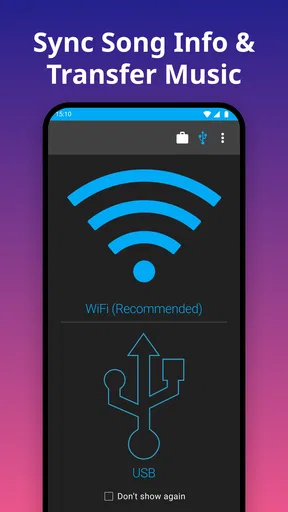
Setting up iSyncr: iTunes to Android was surprisingly easy. You start by downloading the app on your Android device and then install the desktop version on your computer. Once both are in place, they seamlessly connect over Wi-Fi or USB. I opted for Wi-Fi because, let's face it, fewer cables make life a lot easier. The app instantly detected my iTunes library, and I was ready to start syncing.
Motor and sensory considerations
Being able to choose between a wireless connection and a cable can help people in different situations. Wi-Fi avoids the repeated task of plugging in a phone, while USB can be a more direct option when wireless discovery is inconvenient. Neither route removes every setup hurdle: locating the right computer, installing the desktop component, and selecting playlists still require some interaction. For someone with limited dexterity, it may be easier to make selections in one deliberate session rather than frequently editing a sync list.
Worth Reading Before You Choose

Flipboard Shows What News Apps Must Do Beyond the Feed

Switching to Android Auto Means Rethinking Your Driving Routine

Google Calendar Makes a Crowded Week Easier to Manage

Ludo King Makes the Most of the Minutes Between Plans

Baby Panda World Brings Quick Play to Modern Phones, but Its Game Library Feels Busy

ESPN’s Live Game View Makes Following Close Games Easier
The app’s music focus also has a practical sensory angle. Keeping familiar playlists and album artwork with a personal collection can make it easier to find a known track than navigating an unfamiliar catalog. At the same time, the details described here do not establish special display, screen-reader, or hearing-support controls, so I would not choose it on the assumption that it provides those. The main benefit is continuity of a person’s own library, not a dedicated accessibility toolkit.
User Interface and Experience
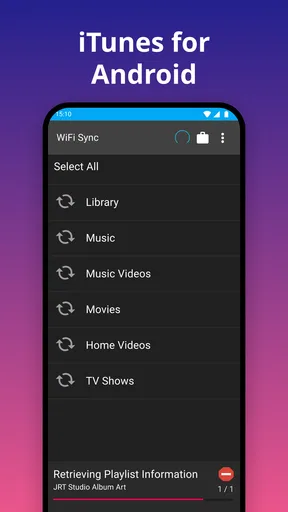
The user interface of iSyncr is intuitive and straightforward. It doesn’t bombard you with unnecessary features, which is refreshing. The main options like playlists, tracks, and albums are neatly organized, making navigation a breeze. I appreciated the simple design because it kept the focus on what really matters: getting my music where I want it.
Situational access and the two connection routes
The choice of Wi-Fi or USB is more than a convenience detail. At home, wireless syncing can fit a routine where the phone is nearby and there is no desire to connect a cable. When a wireless connection is not the comfortable choice, USB gives another route. I would pick based on the room and the device setup, not assume one method is always faster or more dependable in every household.
It is also worth thinking about when the sync happens. A computer-based library makes this a task to do before leaving, rather than something to rely on while already away from home. For a shared computer or a busy household, setting aside a quiet moment to select and transfer music can be more manageable than trying to make changes in a rush. That small planning step can prevent the common frustration of reaching for a playlist later and discovering it was never included.
Syncing Your Library
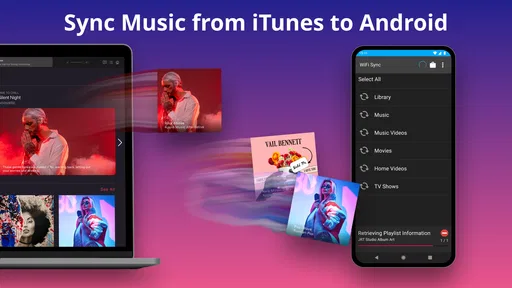
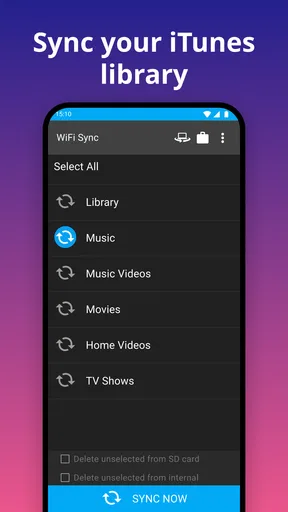
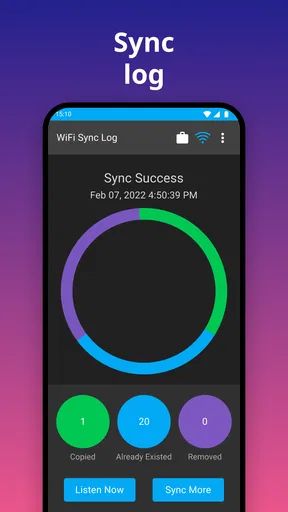
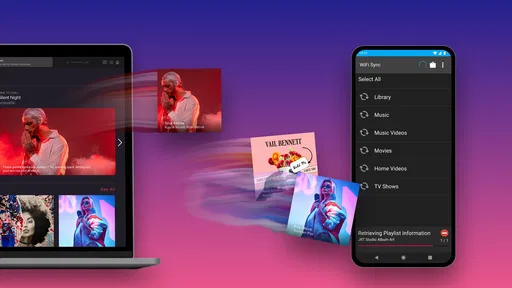
This is where iSyncr truly shines. You can sync your entire iTunes library or select specific playlists, which is perfect if your library is as massive as mine. The sync speed was impressive, even over Wi-Fi. I synced a large playlist of about 300 songs in just a few minutes. The app also supports two-way syncing, so any changes you make on your Android device can be reflected back in your iTunes library.
Keeping the library tidy across devices
Two-way syncing is useful when you care about maintaining listening information, but it also makes a cautious workflow sensible. Before relying on changes made on the phone being reflected in iTunes, I would test the process with a small playlist and verify the result on the computer. This is especially helpful if the desktop library is the carefully maintained master copy. A quick check helps you understand which device has the changes you want to keep before using the same process across more of your collection.
Playlist selection is also a quiet advantage for people who organize music by context rather than by artist alone. A short set for a walk, a longer mix for travel, or a calm collection for focused work can be prepared separately without carrying every track everywhere. The payoff is not just less transfer work; it is a phone library that is easier to browse when you have only a moment to choose something.
Features That Stand Out
One feature I loved is the ability to sync ratings, play counts, and even last played dates. This was a game-changer for me as it kept my library organized and up-to-date. Additionally, iSyncr supports syncing of album artwork, something that’s often neglected by other apps. So, if you're like me and enjoy having album art displayed while your music plays, this is a definite plus.
Where it sits beside the usual alternatives
Compared with manually copying music files, a library-aware sync is appealing because it can carry more of the organization and listening context that iTunes users have already built. A basic file transfer may be enough if all you want is a handful of audio files and you do not care about playlists or listening history. A streaming service is a better fit for people who want discovery and online access rather than transferring a personal collection. I see this app as the middle path for listeners committed to an iTunes library but using Android hardware.
The extra library details are valuable only if you use them. If you never check ratings, play counts, or last-played information, those features may not change your daily listening. But for someone who uses that history to decide what to revisit or how to keep a collection organized, preserving it can make the Android copy feel less detached from the original library. Artwork has a similar trade-off: it adds visual context, but the core reason to use the app remains the transfer and synchronization workflow.
Performance and Reliability
Throughout my testing, iSyncr performed flawlessly. There were no crashes or unexpected errors, which is crucial for an app that handles large amounts of data. The syncing process was smooth, and I never encountered any duplicates or missing tracks. It’s clear that the developers focused on reliability, and it shows.
Who should look elsewhere?
If you no longer use iTunes to manage music, the need for this particular bridge largely disappears. Likewise, someone who wants video transfers, a purely phone-based library, or a service centered on discovering new music should look for a different tool that matches that job. Requiring a computer-side component also makes it less convenient for a listener who only has a phone or tablet available. The best fit is someone willing to maintain a computer library and occasionally plan a sync.
There is also a cost detail to keep in mind: the app is free to download, with in-app purchases listed from $0.99 to $99.99 per item. I would check the purchase options in the app before building a workflow around a feature that might require payment. That is a more sensible approach than assuming every capability is included at no cost, particularly when the basic goal is simply to move selected music.
Compatibility and Limitations
iSyncr supports both Windows and macOS, which is great news for everyone. However, there are some limitations. For instance, it requires iTunes to be installed on your computer, and it doesn’t support syncing of video files. But for music lovers, these limitations might not be a dealbreaker.
For Android users, the minimum operating system requirement is Android 5.0, and the current version is 7.0.5. The app is rated for Everyone, which makes its intended audience broad, though that rating is not a promise that every setup will suit every person’s needs. JRT Studio Music Players develops it, and its music-and-audio focus is clear from the way the app centers on syncing a personal collection rather than serving as an all-purpose media manager.
Its reach suggests that this is an established option: it has over five million installs, with an average rating of 4.2 from around 21,000 ratings and about 1,900 written reviews. I treat those figures as context rather than a guarantee. The more important question is whether your music actually lives in iTunes and whether you are comfortable doing the transfer from a computer.
Inclusive verdict: a useful bridge, with a specific job
For day-to-day access, I would recommend iSyncr to an Android owner who already depends on iTunes playlists, wants listening details to travel with the collection, and can use a computer to prepare music. I would skip it if my priority were streaming, video, or avoiding desktop setup altogether. The app’s simple organization and choice of connection method can reduce friction, but they do not make every part of the process effortless for every user.
My practical advice is to start with one playlist, choose Wi-Fi or USB according to the setup you find easiest, and check that the result looks right in both places before expanding the sync. That small trial gives you a low-pressure way to judge whether this workflow fits your habits. For the right listener, it is a focused solution to a very particular problem; for everyone else, a straightforward file transfer or a streaming app may be the more natural choice.
Final Thoughts
Overall, iSyncr: iTunes to Android delivers exactly what it promises. It’s an efficient and reliable tool for syncing your iTunes library to your Android device. The app’s simplicity and performance make it a standout choice for anyone looking to bridge the gap between iTunes and Android. If you’re tired of complicated workarounds and just want a hassle-free experience, I’d definitely recommend giving iSyncr a try. It's a solid choice for audiophiles and casual listeners alike.
Pros
- Seamless syncing between iTunes and Android.
- Supports playlists
- ratings
- and play counts.
- Easy setup with a user-friendly interface.
- Automatic sync options available.
- Compatible with both Windows and Mac.
Cons
- Requires desktop app for syncing.
- Some features require a paid version.
- Occasional sync errors reported.
- Limited file format support.
- Initial setup can be time-consuming.
FAQs for iSyncr: iTunes to Android
What is iSyncr, and how does it work?
iSyncr is an app designed to sync your iTunes library with your Android device. It allows you to transfer music, playlists, and other content seamlessly over Wi-Fi or USB. The app ensures that your iTunes library is mirrored on your Android device, maintaining play counts, skip counts, and last played dates.
Is iSyncr compatible with all Android devices?
iSyncr is compatible with most Android devices running Android 4.1 and above. However, it's always a good idea to check the app's compatibility with your specific device model. Users should also ensure that their iTunes version is supported to facilitate smooth syncing.
Do I need a computer to use iSyncr?
Yes, a computer with iTunes installed is necessary for the initial setup of iSyncr. The app works by syncing your iTunes library from your computer to your Android device. Once set up, you can sync over Wi-Fi or USB, depending on your preference and convenience.
Is my iTunes library safe when using iSyncr?
iSyncr does not alter your original iTunes library. It simply reads the data and transfers it to your Android device. Your music, playlists, and metadata remain intact on your computer, ensuring that no data is lost or corrupted during the sync process.
Are there any limitations to using the free version of iSyncr?
The free version of iSyncr comes with certain limitations, such as a cap on the number of songs you can sync at a time. To unlock full functionality, including unlimited song transfers and advanced features, users may need to purchase the full version. It's worth considering if you have a large music library.


